


Understanding Web Hosting Security: Protecting Your Site from Attacks
Website security is more important than ever. Online risks and cyberattacks are increasing, and hackers are always changing their strategies. Your website is always vulnerable to hacking, regardless matter whether it’s a big eCommerce platform, a personal blog, or a small business website. Making sure your web hosting is secure is one of the most important defences for your website.
We’ll go over the fundamentals of web hosting security, talk about typical risks, and lay out practical defences for your website in this blog article.
The Significance of Security in Web Hosting
The process of protecting your website, its content, and its users from harmful attacks is known as web hosting security. When you choose a web hosting service, they essentially manage the server where your website lives. This implies that the security procedures and policies put in place by your hosting company have a significant impact on the security of your website.
Your website’s security breach could have severe results.
Data Theft: Cybercriminals have the ability to steal private information, including credit card numbers, personal information, and customer information, which can seriously damage your company’s reputation.
Downtime: Hackers have the ability to take a compromised website offline, which can lead to lost sales, decreased traffic, and a bad user experience.

SEO damage: Websites with malware or hacks are penalised by search engines, which lowers their rankings and might make your website less visible and attract fewer visitors.
The owner of the website and the hosting company share responsibility for web hosting security. Let’s examine several prevalent forms of online assaults and how to defend your website against them.
Typical Security Risks to Websites
Distributed Denial of Service (DDoS) Attacks
A DDoS attack occurs when a hacker overwhelms your server with an enormous volume of requests, rendering your website slow or completely unavailable to legitimate users. DDoS attacks are intended to interfere with the functionality of your website and may result in extended outage.
Viruses and malware
Websites are intended to be infected and damaged by malicious software, or malware. It can be used to send traffic to malicious websites, steal data, or infect users’ devices. It is possible for malware to infiltrate your website via obsolete plugins, weak passwords, or exposed code.
Injections of SQL
SQL injections happen when hackers take advantage of weaknesses in the database of a website. Hackers can obtain unauthorised access to your database and possibly steal or alter sensitive data by putting malicious SQL code into forms or URL parameters.
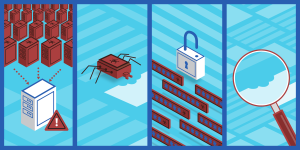
XSS, or cross-site scripting
Hackers insert harmful scripts into user-viewed web sites through a technique known as cross-site scripting. The script is run in the user’s browser when they visit the compromised page, which frequently leads to the theft of login credentials or personal data.
Attacks with Brute Force
Hackers that use brute force attacks utilise automated methods to guess login credentials; they often test several username and password combinations until they locate the one that works. This kind of attack puts your admin panel or database at risk by focussing on weak or simple passwords.
The Best Ways to Protect Your Website
In order to safeguard your website, you as the site owner must also take aggressive steps from your hosting company. These are some essential tactics to improve the security of your website.
1. Select a Reliable Web Hosting Company
Selecting a web hosting company is among the most crucial choices you’ll make in terms of the security of your website. Robust security safeguards that shield your website from typical attacks should be provided by a reliable hosting company.
Important security attributes to search for in a hosting company consist of:
SSL (Secure Sockets Layer) certificates: By encrypting data as it is passed between your website and its visitors, SSL certificates help stop hackers from intercepting private information. These days, a lot of hosting companies come with SSL certificates as standard equipment.
Web application firewalls (WAFs) provide firewall protection by keeping an eye on incoming traffic and thwarting harmful requests before they can reach your server. Firewalls serve as a defence against common online threats including SQL injections and DDoS attacks.
Automatic Backups: By keeping regular backups, you may minimise downtime and data loss in the case of a security breach and restore your site to a previous condition.
- Maintain Updating Plugins and Software
One of the most popular points of access for hackers is outdated software, plugins, or themes. Updates are frequently released by developers to address identified security flaws. These vulnerabilities are present on your website if you don’t update your software. Make CMS Updates: Security upgrades for content management systems (CMS) like WordPress and Joomla are often released. As soon as these updates become available, make sure to install them. Update Your Plugins and Themes: Unauthorised plugins and themes can potentially pose security threats. Update them frequently, and get rid of any you’re not using.
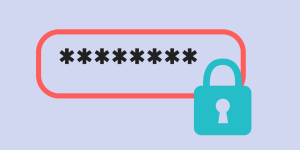
- Make Use of Strong Passwords
Use strong, one-of-a-kind passwords for all of your accounts, including database, FTP access, hosting provider, and CMS, as brute force assaults prey on weak passwords. Employ a Password Manager: Managing several accounts will be simpler if you use a password manager to create and store complicated, one-of-a-kind passwords.Turn on Two-Factor Authentication (2FA): By requiring a second form of identity in addition to your password—such as a number delivered to your phone—two-factor authentication adds an extra degree of security.
- Make routine backups
Your safety net in case of a security compromise is your backups. Regular backups minimise downtime and data loss by enabling you to restore your website to a prior version in the event that it is compromised. Automated Backups: Using your hosting company or a third-party backup program, set up daily or weekly automatic backups. Ensure that your backups are safely kept in the cloud or off-site.

- Keep an eye on website activity
It might assist you to identify and address possible security risks before they become more serious if you routinely keep an eye out for strange activity on your website. Use Security Plugins: A lot of content management systems (CMS) provide security plugins that keep an eye out for malware, unauthorised login attempts, and suspicious behaviour on your website. Examine Access Logs: To identify any unauthorised or unexpected access to your website, periodically review the server access logs.
Conclusion
Security on web hosting is important and should not be disregarded. It’s imperative that you take proactive measures to secure your website given the rise in cyberattacks. A combination of best practices is needed to safeguard your website against assaults, from selecting a secure hosting provider to creating strong passwords and doing frequent backups.
Through comprehension of possible hazards and implementation of appropriate security protocols, it is possible to considerably diminish your website’s susceptibility to assaults, safeguarding your data, ensuring uninterrupted operation, and conserving your online reputation. In addition to being technically required, having a secure website is essential for gaining users’ trust and expanding your online profile. Balliante handle all your hosting security for you with our state of the art secure Web Hosting servers, Contact us to find out more.